Google Block Breaker: Complete Guide, Levels, Tips and winning Techniques
You undoubtedly wanted a fast playground game and developed an addiction right away if you recently searched Google Block Breaker. A few seconds of entertainment quickly transforms into an unexpectedly exciting challenge that keeps you playing longer than you planned.
It appears to be a straightforward brick-breaker game at first glance with a paddle at the bottom, a bouncing ball, and colorful blocks that are just ready to break. But as soon as you start playing, you understand that timing, reflexes, strategy and patience are all necessary.
This guide covers everything you need to know from beginner gameplay to advanced survival techniques so you can enjoy the game and keep improving instead of getting stuck early.
What Is Google Block Breaker?
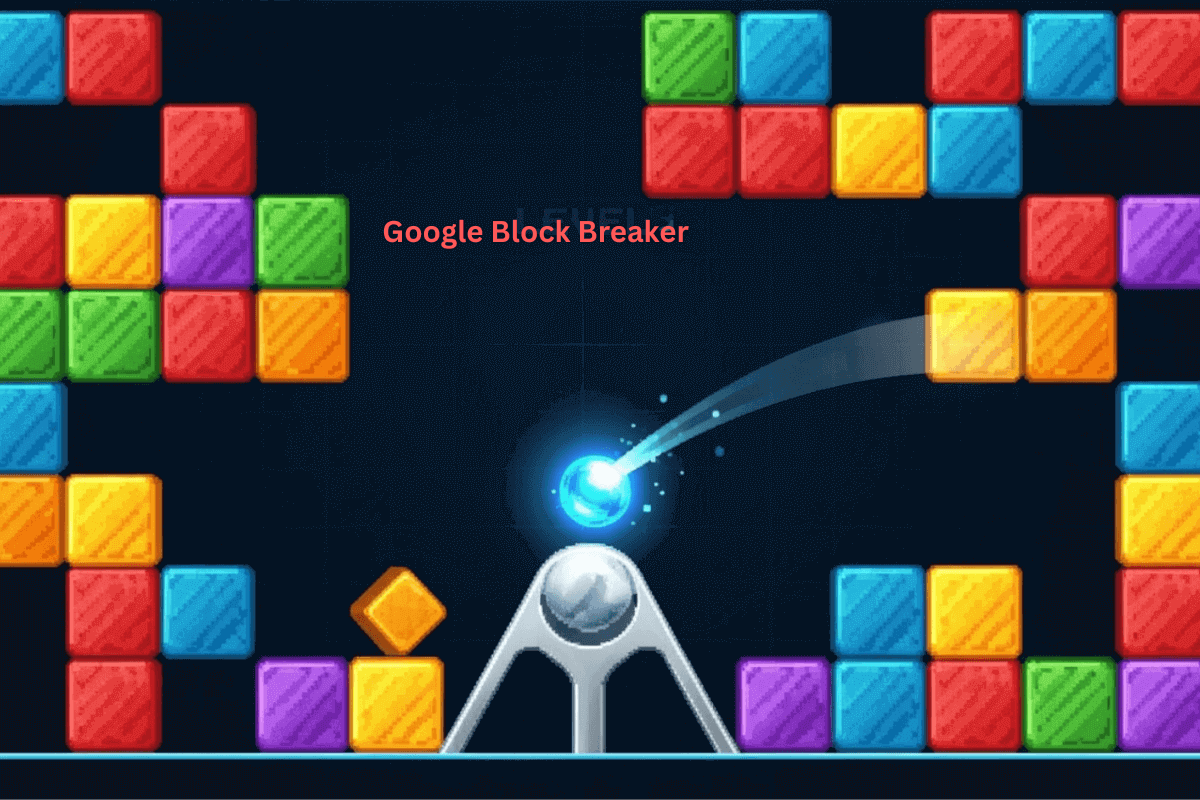
This is a browser-based arcade brick-breaker game that draws inspiration from old games such as Breakout. Your objective is straightforward:
Use a moving paddle to destroy every block while keeping the ball in play.
Layered mechanics are hidden by that simplicity:
- Accelerating the ball
- Strategic paddle angles
- Tight layouts
- Falling power-ups
- Bricks that struck multiple times
- survival pressure
Newer versions launch immediately in your browser; there are no downloads or accounts needed. Simply click and play.
Why This Game Feels So Addictive
The reason this game works is that it maintains a balance:
- instant accessibility
- short play sessions
- rising challenge
- visible skill improvement
- classic playground excitement
Although learning is simple, mastery feels earned.
How to Play
- Basic Rules of the Game
Your most important goal in Google Block Breaker is to use the paddle to keep the ball bouncing. You lose a life if the ball hits the bottom edge without striking your paddle. If all blocks are cleared or all lives are lost then each level ends. Bricks are the main source of points, but you may also get extra points by capturing useful power-ups that dropped from broke blocks from time to time.
- Controls for the keyboard, mouse, and touch
Desktop Controls:
- Move the paddle to the left or right with the arrow keys
- The ball is launched by moving the mouse left or right and then clicking or pressing space
- Some versions offer the option to use the A and D keys for smoother action
Mobile Controls:
- Drag your finger along the bottom of the screen to move the paddle
- Each device may have a different sensitivity, so begin with minor adjustments
- Planning Angles and Reading the Ball
Predicting the ball’s future move rather than chasing it randomly is one of the most important abilities in it:
- Hitting the center of the paddle sends the ball straight
- Reaching close to the edges produces right angles that provide access to challenging side bricks
- Keep an eye on the ball’s final point of contact and adjust your next move accordingly
- The ball won’t become trapped in ongoing loops when angled hits are used
Why Players Keep Coming Back to Google Block Breaker
| Feature | Why It’s So Popular | Pro Tips |
| Quick Browser Sessions | Instantly launch a game in your browser without the need for updates, logins or downloads. Ideal for quick breaks. | Perfect for study or workplace breaks, even a few levels can help you refocus. |
| Simple Yet Challenging | One ball, one paddle, and lots of bricks is a straightforward concept to understand, but players are kept interested by continually accelerating speed and challenging arrangements. | Prioritize studying angles before attempting to maximize score once you’re at ease. |
| Nostalgic Arcade Style | Brings back the classic brick breaker feel from retro games like Atari Breakout and Arkanoid. | New players value straightforward and stress-free gameplay, while older players enjoy the memories. |
| Cross-Device Compatibility | Runs on desktops, laptops, school PCs, and mobile phones with stable internet. | No high hardware requirements. Works even on low-end devices. |
| Easy Social Play | Share links with friends or family, take turns for high scores without complicated accounts | Great for friendly competitions or classroom fun. |
| Short Learning Curve | Beginners can start playing instantly; patterns become predictable over time. | Spend 1–2 levels observing brick layouts before going aggressive. |
| Visual and Audio Feedback | Satisfying brick-breaking animations and sound effects reward skillful play. | Helps track ball trajectory and boosts enjoyment. |
| Power-Up Variety | Special icons like multi-ball, paddle expansion, and slow motion enhance gameplay strategy. | Knowing which power-ups to prioritize can improve survival in tough levels. |
Proven Techniques for Success
Focus on your eyes rather than your paddle
Focus on watching where the ball is going and your hands will react on their own.
Use paddle edges intentionally
Sharp angles are created by edges, which release trapped bricks.
Clear low threats first
Sudden drops are caused by blocks near the paddle.
Stay centered during chaos
If you want to survive in multi-ball then don’t chase for everything.
Reset between levels
A little pause avoids tilt and enhances rhythm.
Typical Mistakes That Block Runs
The majority of early mistakes are caused by
- blindly chasing power-ups
- staring at paddle instead of ball
- flat center rebounds
- overcorrecting movement
- playing on laggy devices
- rushing after a miss
So treat the initial stages as practice angles rather than speed tests.
Final Thoughts
Google Block Breaker shows that even a straightforward game can be exciting, difficult, and satisfying. It involves timing, control, and understanding the game’s behavior in addition to simply striking the ball. Your reactions get better with repeated play, and levels that were challenging at first become easier to manage. Every round teaches you something new, so be patient, play with focus, and have fun.
There are no charges for this because you may play the majority of browser versions for free.
No, because a browser connection is necessary
Brick interaction and paddle contact affect bounce angles.
Make use of edge angles, keep up lengthy gatherings, and put survival first.
Yes, the movement of the mirror paddle is controlled by touch.